
September 28, 2026
Enhancements:
-
Butler: Bidder Lookup: Quick Buy
The Quick Buy confirmation screen now gives you more control at checkout. After adding bids, you can choose to check the bidder out right away or save it for later, without losing your place in Butler.
Here is our update knowledge base article: Butler Multi-Sale Quick Entry for Quantity Items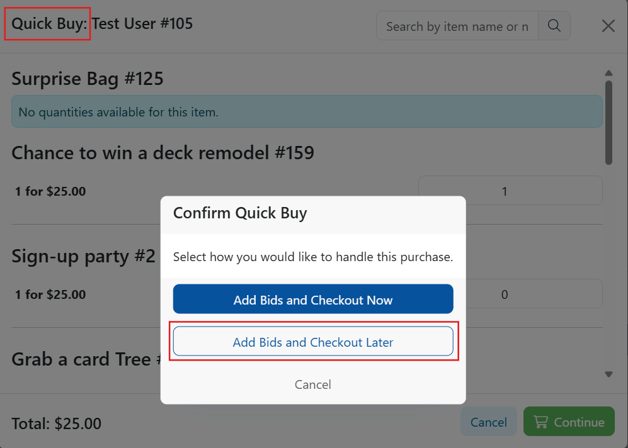
-
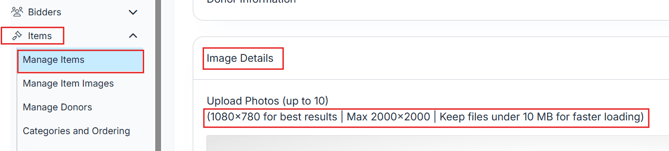
Manage Items: Image Upload Guidance
The image upload area now shows clearer size guidelines so you know what works best before uploading. If an image is too large to upload, a message will let you know and prompt you to try a smaller file.
-
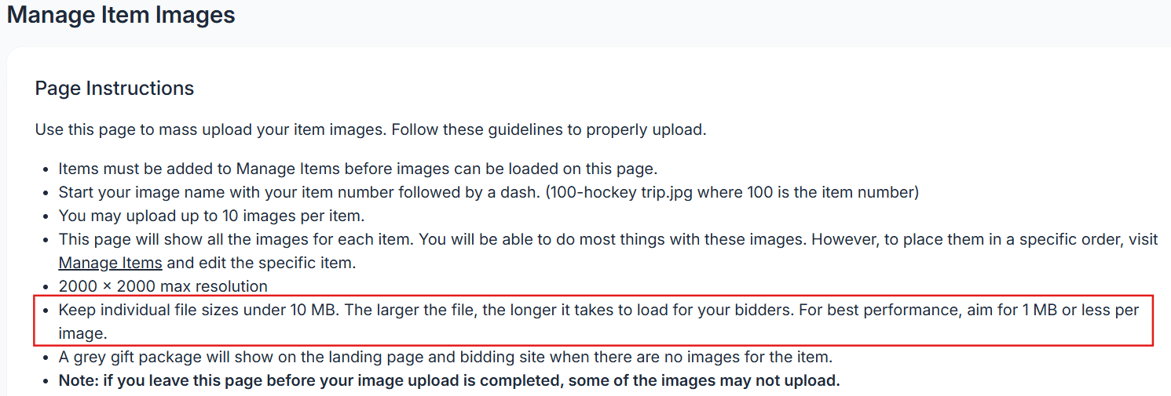
Manage Item Images: File Size Guidance
The Manage Item Images page now includes a reminder to keep image files under 10 MB for the best experience. Smaller images load faster for your bidders. If an uploaded file is too large, a message will appear letting you know and prompting you to try again with a smaller file.
- Software Settings: Event Settings: Logo
A "Learn More" link has been added under the Logo section in Event Settings so you can quickly see all the places your logo displays across your event.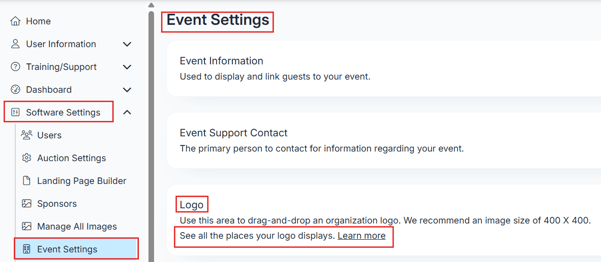
-
Butler: Input Field Visibility: Input fields in Butler are now easier to spot at a glance. A subtle visual update makes it quicker for volunteers to find and fill in fields, which is especially helpful during busy check-in moments.
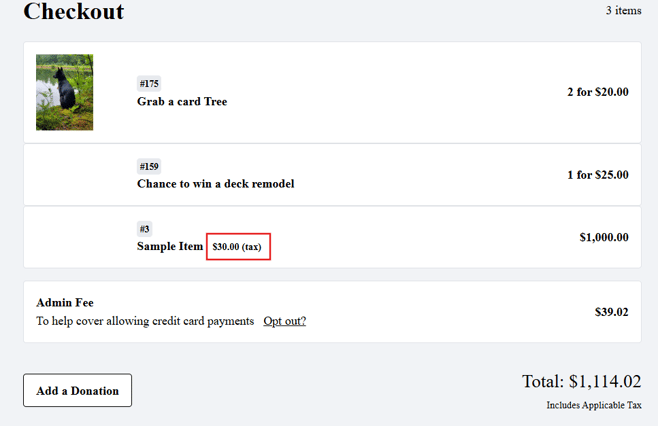
- Auction Checkout: Tax Display: Tax now displays next to the item name on the auction page, consistent with how it already appeared in Butler.
- Butler Settings: Login Details: Mobile Payment Options
The Butler Settings page now includes instructions if using tap to pay option, to help volunteers quickly find the right butler to use for their device. Including how to download the BidKit Payments app for Android or Apple devices.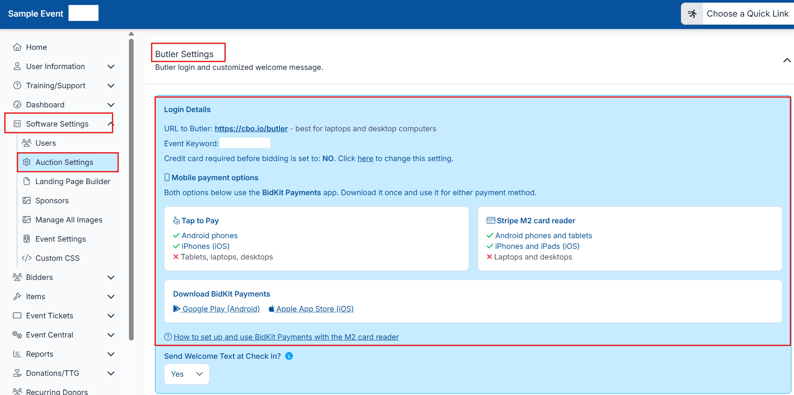
- Event Tickets: View Ticket Sales: Admin Notes: A new Admin Notes field has been added to the Purchaser Detail section in View Ticket Sales. Use it to add internal notes on any ticket purchase, up to 500 characters. Notes are only visible to admins and will never appear on receipts, confirmations, or anywhere guests can see. Admin Notes are also included as a column in the CSV and Ticket Sales report exports.
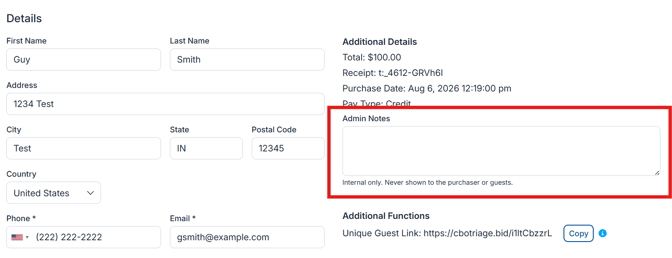
Download ticket sales report and CSV: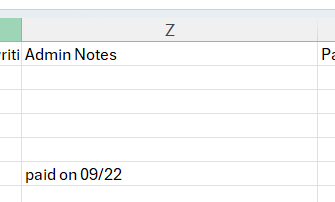
-
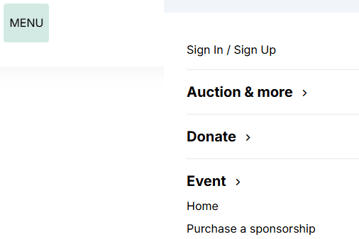
Landing Page Builder: Content Blocks: Hide Title in Side Menu: A new option has been added to content blocks that lets you hide the title from the Landing Page Builder side menu. This is helpful when using multiple content blocks of the same type, like Featured Items, and you want to keep the menu clean without affecting how the content block looks on the page.
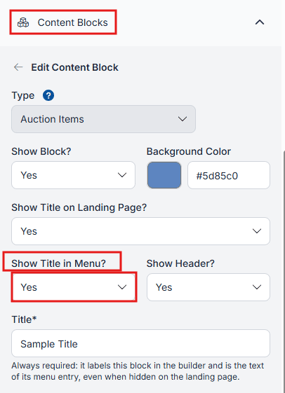
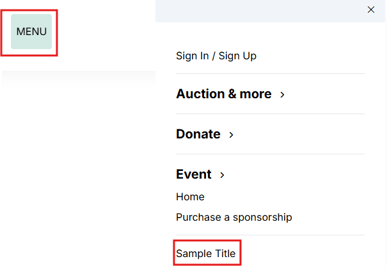
Set to no: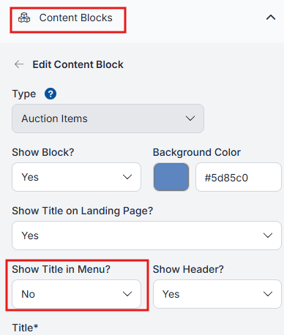
Issues Resolved:
-
Organization: Recurring Donors:The Send Login Link action now works for any recurring donor on the page, regardless of which event is currently active.
-
Guest Update Link: The ticket or sponsorship name now appears next to each guest's name, making it easy to tell which record belongs to which ticket or sponsorship.
-
Landing Page Builder: Content Blocks: Tab indentation now works correctly within bulleted lists in content blocks.
-
Event Central: Leaderboard:Some item names on the leaderboard were displaying a code character instead of a quotation mark. This has been corrected.
-
Bidders: Manage Bidders: Bidder Imports: Email addresses are now validated during import. Rows with invalid email addresses will be rejected or flagged before they are added.
-
Event Tickets: View Ticket Sales: Events with a large number of registrations could cause the View Ticket Sales page to run out of memory and fail to load. This has been corrected.
-
Integrations:
-
Virtuous: Segment Loading: Accounts with a large number of segments could cause integration pages to stop working. Segments now load only after a campaign is selected, keeping the page running smoothly.
-
Virtuous, Neon, DonorPerfect, Raiser's Edge: Export Confirmation
-
The export confirmation screen now reflects your saved integration settings. Settings can no longer be changed during the export process.
-
- Donations/TTG: Embeddable Donation Form
- The embedded form could stop working when recurring donation activity was present. This has been corrected.
- The donation activity and donation count displayed on the embedded form now reflect accurate records.
- Auction: Live items were showing $0.00 on the payment confirmation page. This has been corrected.
- Bidders: Email and Text Bidders
- The [t] table shortcode could appear blank when using the All Bidders filter. Table information now displays correctly.
- AuctionGPT could bypass the 160-character limit for text messages. The limit is now enforced regardless of how the message is created.
- Reports: Custom Questions: Ticket page queries were timing out and failing to load. This has been corrected.
- Manage Items: Item Closing: Processing large numbers of items at closing time has been improved for better reliability.
- Bidapp: Guest Update Page: First and last name fields on the guest update page were causing an error when the entered name was too long. The fields now have a character limit in place and will display a clear message if the name entered exceeds the allowed length.
-